
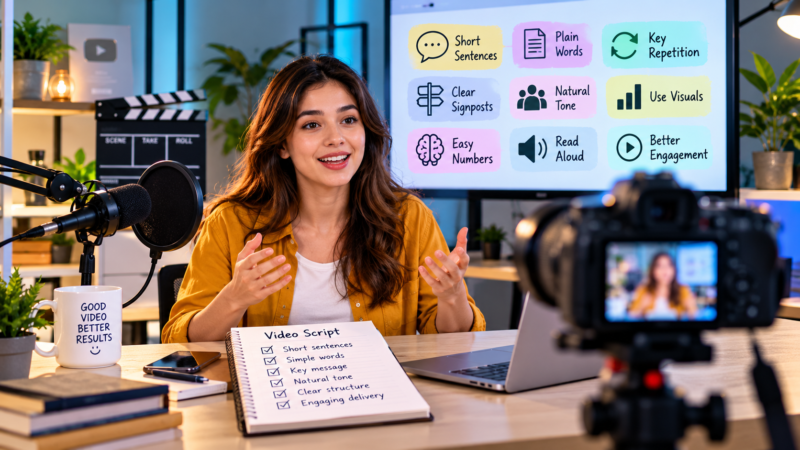
Writing for the Ear: Why Video Scripts Break the Rules You Learned at School
School taught most of us to avoid repetition, write full sentences and use formal language in anything official. Those rules serve essays and reports well. Spoken aloud in a video, they often sound stiff, confusing or robotic.
Video scripts are written for listeners, and listeners process words differently from readers. A reader controls the pace, skims ahead, rereads a tricky line and pauses to think. A listener gets each word once, in the order and at the speed the speaker chooses.
Listeners Can’t Scroll Back
A reader who loses track of a sentence can glance back and try again. A viewer usually can’t, or won’t. If a line contains three clauses and a technical term, the meaning may slip past before it registers.
That’s why good scripts favour short sentences. One idea per sentence gives the audience time to absorb each point before the next arrives.
Plain Words Win
Long, formal words can look authoritative on a page. Spoken aloud, they slow the listener down and put distance between the speaker and the audience. “Utilise” becomes “use”. “Commence” becomes “start”. “In the event that” becomes “if”.
Jargon deserves the same scrutiny. Terms your team uses every day may mean nothing to a customer or a new starter. If a technical word is unavoidable, explain it the first time it appears, then use it consistently so viewers aren’t left wondering whether two different terms mean the same thing.
Repetition Is Your Friend
Essay writing discourages saying the same thing twice. Scripts benefit from it. Repeating a key phrase or returning to the main message near the end helps viewers remember it, especially if they were distracted halfway through.
Think of a song’s chorus, which returns because repetition makes it stick. Your central message can work the same way.
The trick is deliberate repetition, not accidental padding. Choose one line that sums up your message and bring it back at a moment where it lands with fresh meaning, perhaps after an example or a customer story has shown why it matters.
Signpost the Journey
Readers can see how long an article is and where each section begins. Listeners have no headings to guide them. Short signposts help: “There are two things to check before you start.” “Here’s the second one.” “So, what does this mean for you?”
These small phrases would feel clunky in a printed report. In a video, they act like headings for the ear, telling viewers where they are and what’s coming next.
Contractions Sound Human
“Do not” and “it is” look correct on paper, yet spoken aloud they can sound oddly formal. Most people say “don’t” and “it’s” in conversation. Contractions make a presenter sound natural and approachable rather than like they’re reading from a policy document.
There’s one useful exception. When you want emphasis, the full form can add weight. “Do not unplug the unit while it’s updating” sounds firmer than “don’t”, which makes it handy for safety messages in training videos.
Fragments Are Fine
Incomplete sentences break grammar rules, though they mirror natural speech. “Faster checkout. Fewer errors. Happier customers.” Written down, this might earn a teacher’s red pen. Spoken with good pacing, it lands clearly and keeps energy high.
Use them sparingly, though, and only where they add energy. A whole script of fragments can sound like a list of slogans. Mixing them with complete sentences creates rhythm and keeps the delivery varied.
Handle Numbers Gently
Figures are hard to absorb by ear. A long string of digits, percentages and dates can blur into noise within seconds. Round numbers where accuracy allows, limit each sentence to one figure and give the number meaning: “about one in four customers” sticks better than a precise percentage spoken at speed.
If exact figures matter, show them on screen while the narrator says the rounded version. Viewers then get both the detail and the clarity.
Read It Out Loud
The single best test for a script is reading it aloud. Stumbles show you where sentences are too long or words are awkward to pronounce. Tongue twisters and clusters of similar sounds become obvious the moment you hear them.
Better still, have someone else read it to you. Hearing your words in another voice reveals whether the rhythm works for an audience.
Time the read as well. Spoken scripts usually run longer than writers expect, and hearing the full length helps you decide what to cut before anyone steps in front of a camera.
Write for the Speaker
Scripts should suit the person delivering them. A chief executive might speak in a measured, thoughtful way, while a young team member may naturally talk faster and more casually. Writing to match their voice helps them sound like themselves, not like someone reading lines.
Where possible, interview speakers first and borrow phrases they use naturally. Then let them rehearse and suggest changes. If a line keeps tripping them up, rewrite it rather than asking for another take.
Synthetic Voices Need the Same Care
AI voiceovers and digital presenters have become common, and they magnify weak writing. A human presenter can smooth over a clunky line with tone and timing; synthetic voices tend to read text more literally. If you’re working with an AI video production agency, give the script the same attention you would for a human speaker, adding pauses and simplifying phrasing so the delivery sounds natural.
Watch for words with more than one pronunciation, abbreviations and brand names. Spell them out phonetically in the script if needed, then listen to the generated audio before approving it.
Leave Room for Pictures
Scripts don’t need to describe everything viewers can already see. If the footage shows a busy warehouse, the narration doesn’t have to say so. Let visuals carry part of the message, and use words for what pictures can’t convey.
A two-column script, with visuals on one side and narration on the other, makes this easier. You can see at a glance where words and images overlap and trim the repetition. Your script gets shorter, and your video feels more confident.